


公開日:2026/09/07
ペイシス支払いのポップアップエラーについて

Contents
「決済する」ボタンを押下しても画面が切り替わらない原因
決済先のサイト開く際に、ブラウザ側でポップアップブロックされてしまい画面が進まない場合がございます。
そのような場合は、以下をご参考にポップアップブロックの解除をお願いいたします。
ポップアップブロックの解除方法
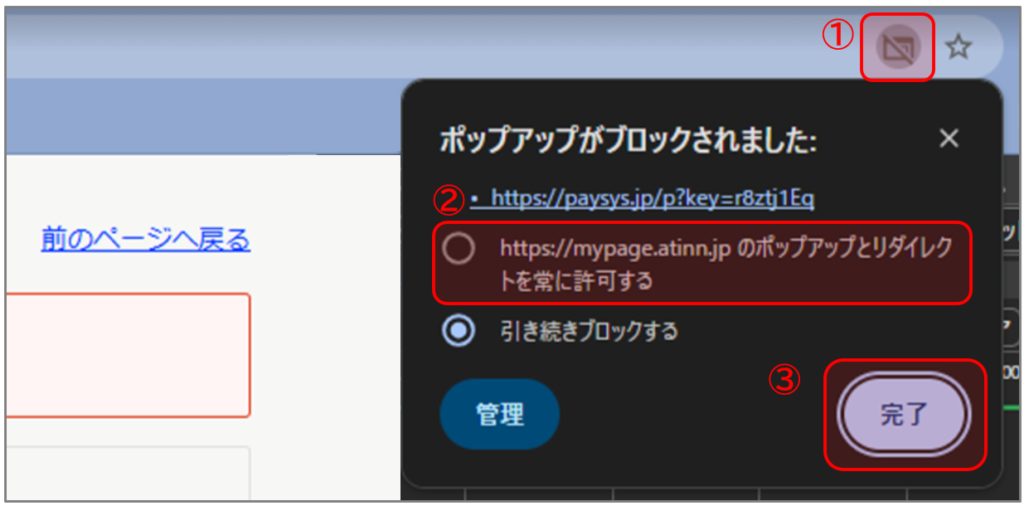
(1)アドレスバー右に表示されるマークをクリックし、「ポップアップとリダイレクトを常に許可する」を選択のうえ、「完了」をクリックしてください。
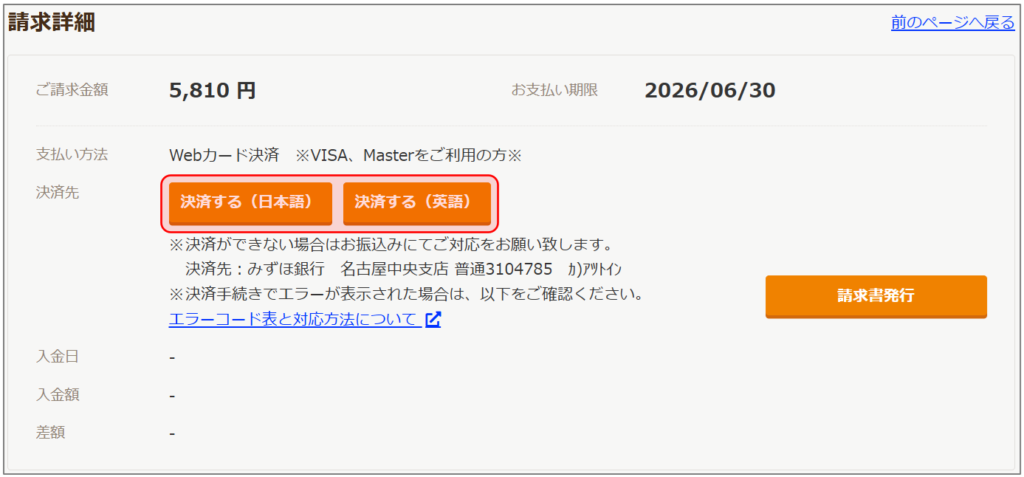
(2)上記手順実施後、「決済する(日本語)」または「決済する(英語)」をクリックしてください。
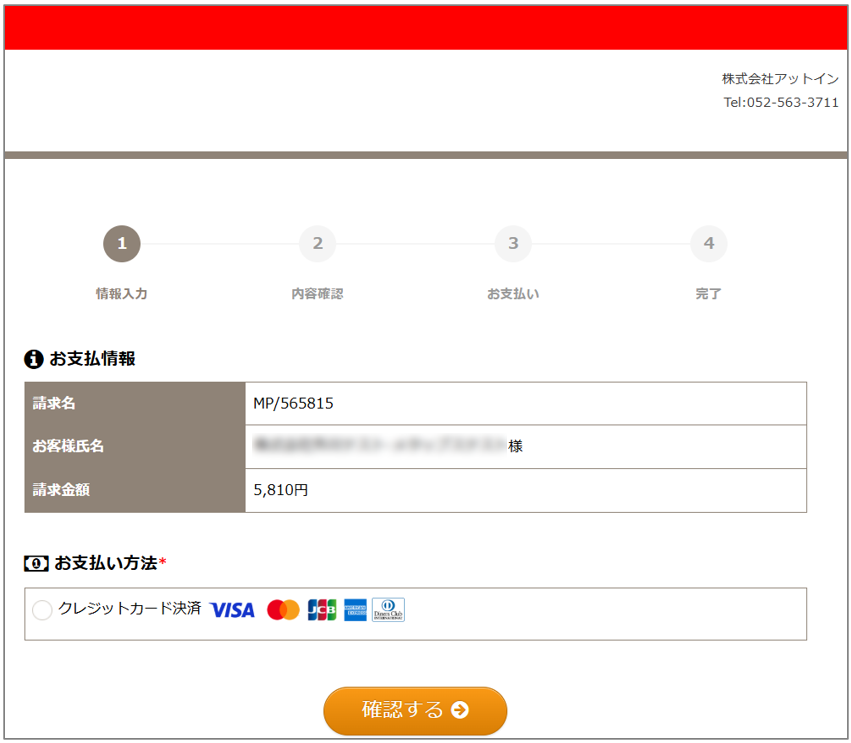
(3)このページが表示されれば解除処理完了となります。
ご留意事項
ポップアップブロックの解除が出来ない場合は、マイページの左メニューの「お問合せ」からご連絡ください。
When opening the payment site, your browser may block pop-ups, preventing the screen from proceeding. If this happens, please refer to the instructions below to disable the pop-up blocker.
How to disable the pop-up blocker
(1) Click the icon shown on the right side of the address bar, select "Always allow pop-ups and redirects," and then click "Done.
(2) After completing the above steps, click "Pay (Japanese)" or "Pay (English).
(3) If this page appears, the pop-up blocker has been disabled.
Please Note
If you are unable to disable the pop-up blocker, please contact us using the "Inquiries" menu on the left side of My Page.